△ All Interfaces

Six ways to access your AI.

Main Window, Menu Bar, Quick AI Panel, Quick Tools, Web Overlay, and Chrome Extension — all in sync.

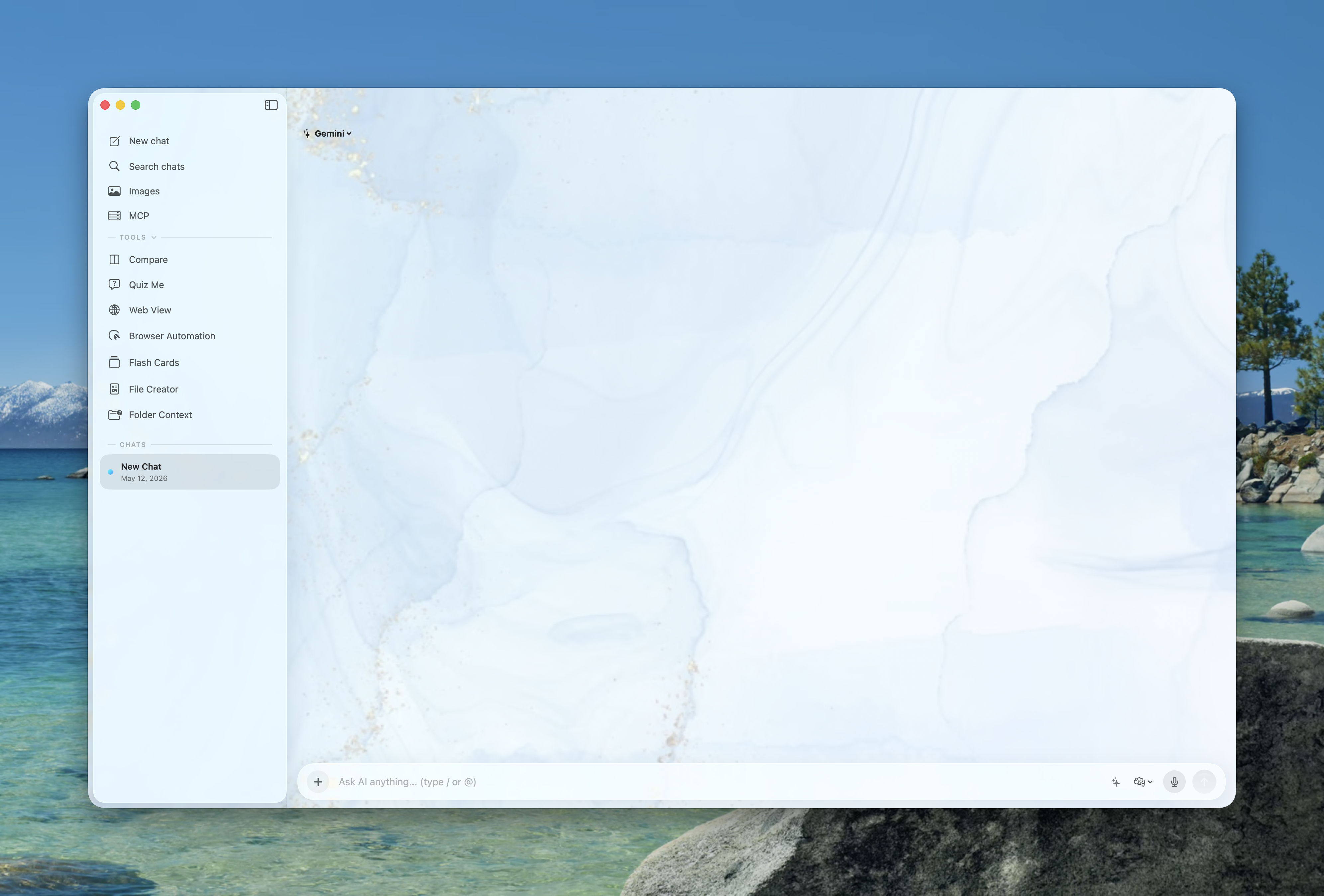
Prism Main Window
△ Quick AI Panel

AI at the speed of thought.

Summon from any app with Ctrl + Space. Ask, compare, generate, attach — without leaving your work.

Quick AI Panel
△ MCP & @ Tools

Connect servers. Summon them with @.

Browse a curated MCP catalog in Settings, store tokens for remote servers, filter the list, and use the composer palette for @FileCreator, @QuizCreator, @FlashCardCreator, and your configured MCP integrations.

Prism MCP registry and server setup
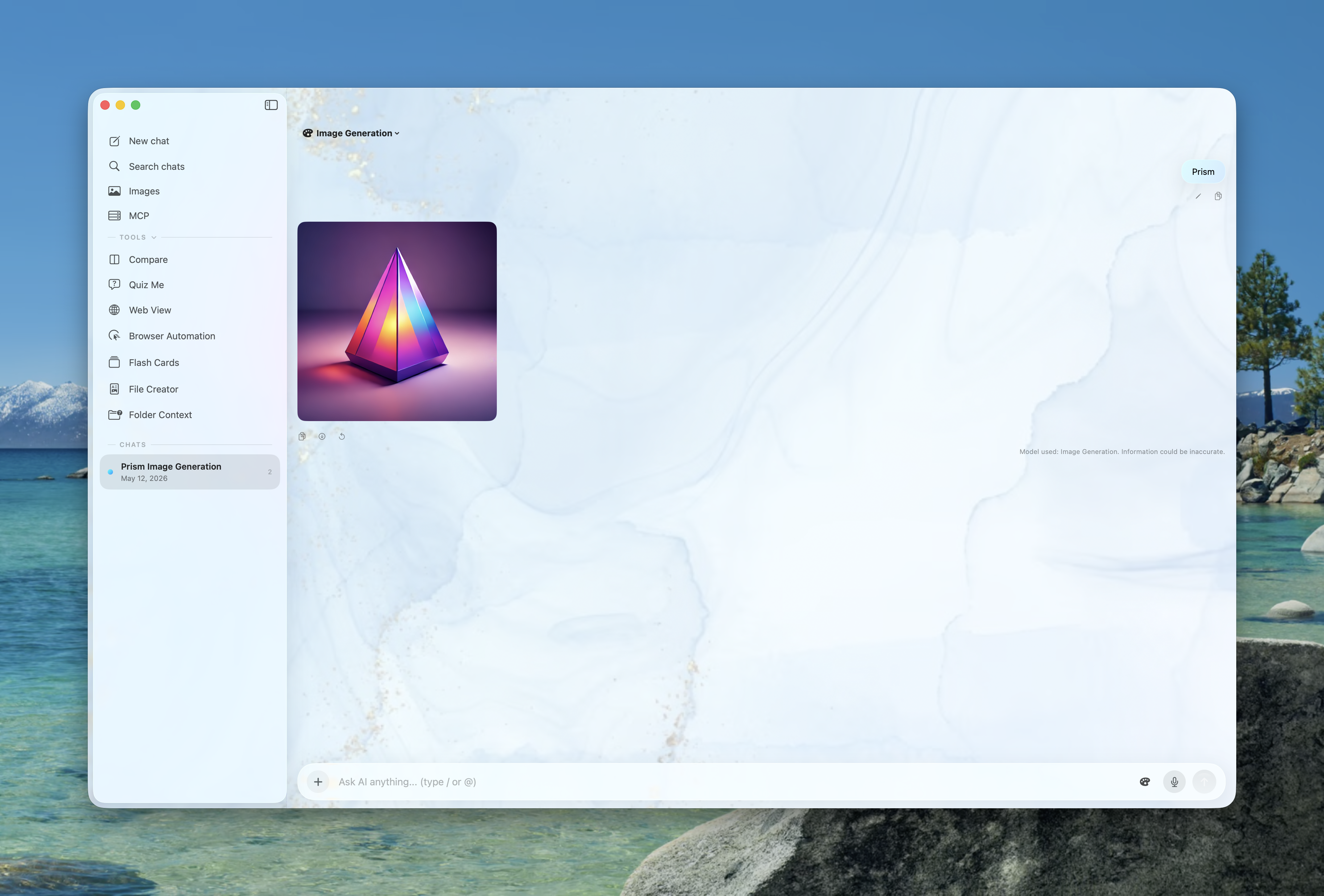
△ Image Generation

Create 4K images.

Anime, watercolor, vector, photorealistic — up to 4K resolution. Local generation for privacy.

Image Generation
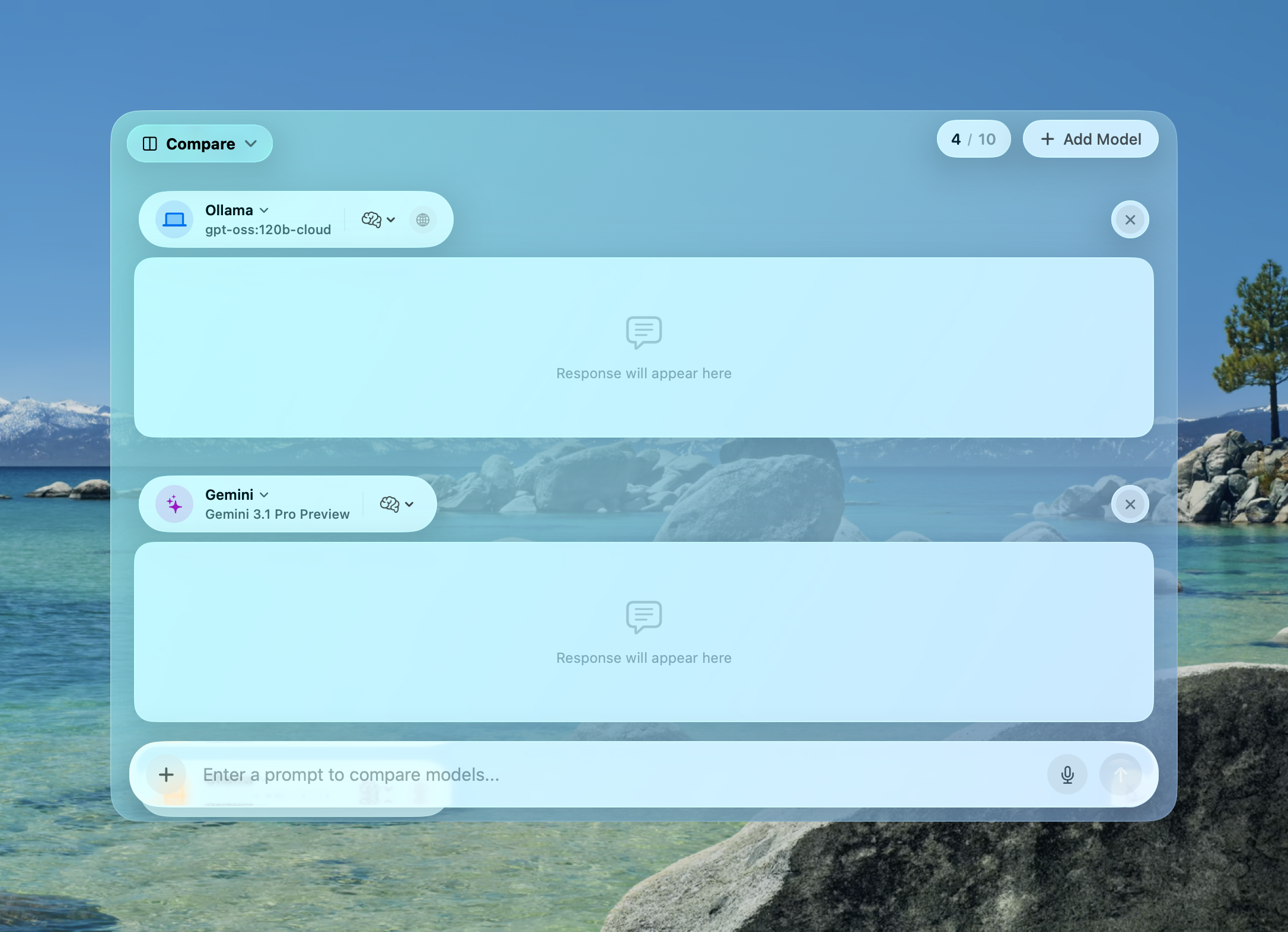
△ Model Comparison

Compare any model.

Send one prompt to multiple models simultaneously. Compare responses, then synthesize the best answer.

Model Comparison
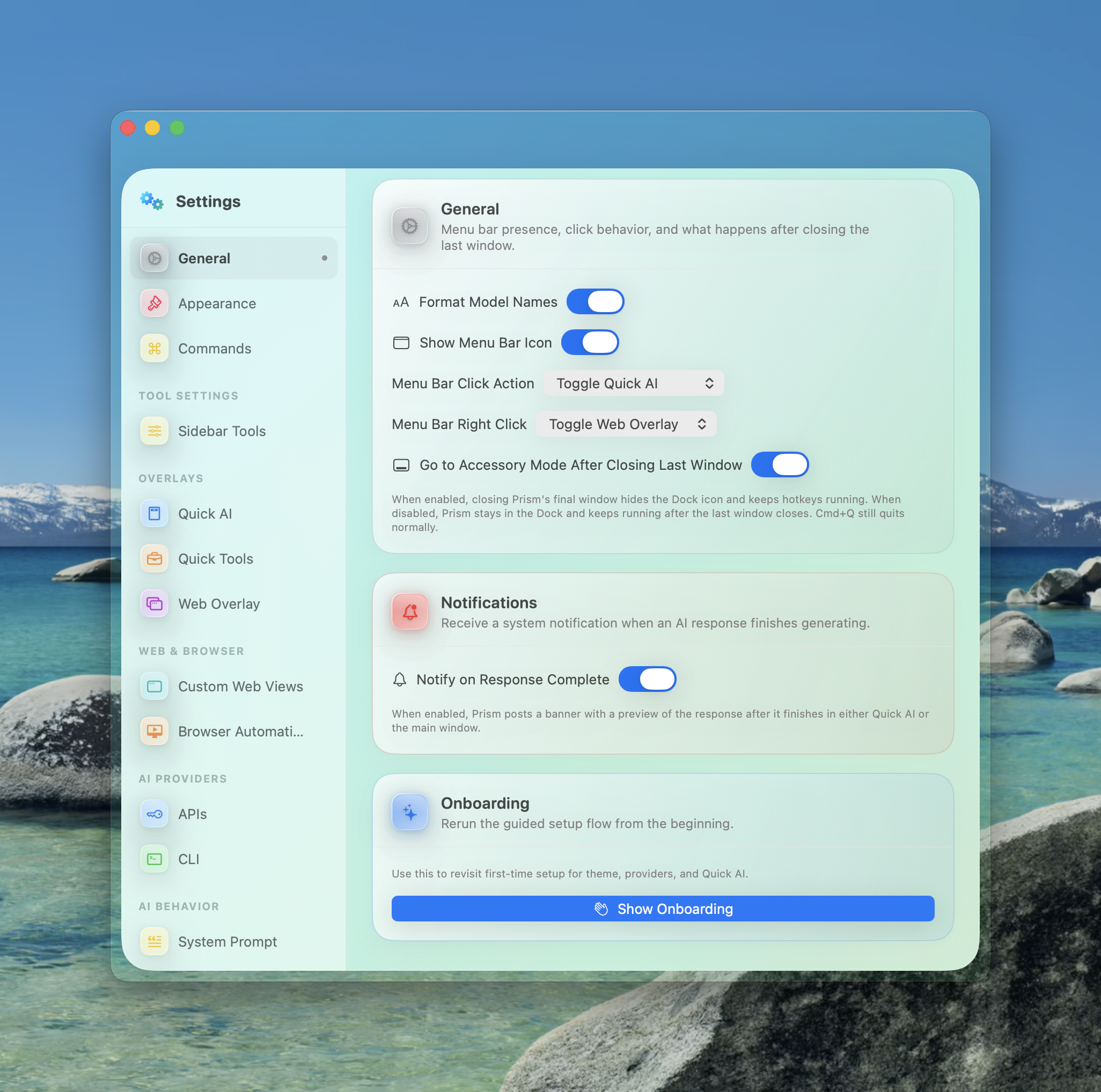
△ System Integration

Native macOS integration.

System-wide autocomplete, menu bar, Apple Shortcuts, browser automation — all in one app.

Prism Settings and Integrations
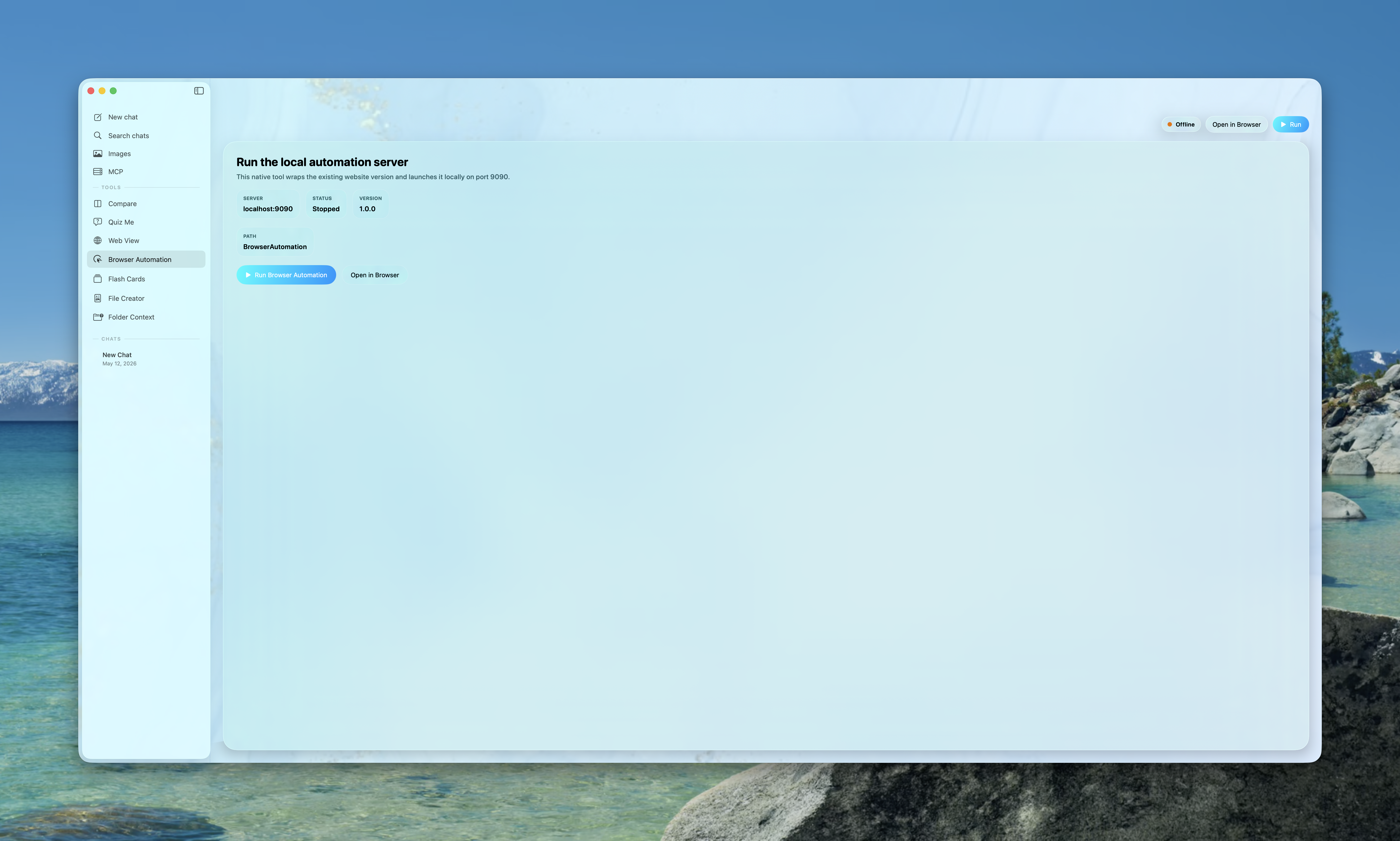
△ Browser Automation

Agentic control of real browsers.

Prism ships a local Node automation stack so the AI can drive Playwright or Puppeteer against live sites—navigation, screenshots, form fills, and streaming updates over WebSocket—without sending your browsing off-machine to a third party you did not choose.

Prism browser automation dashboard
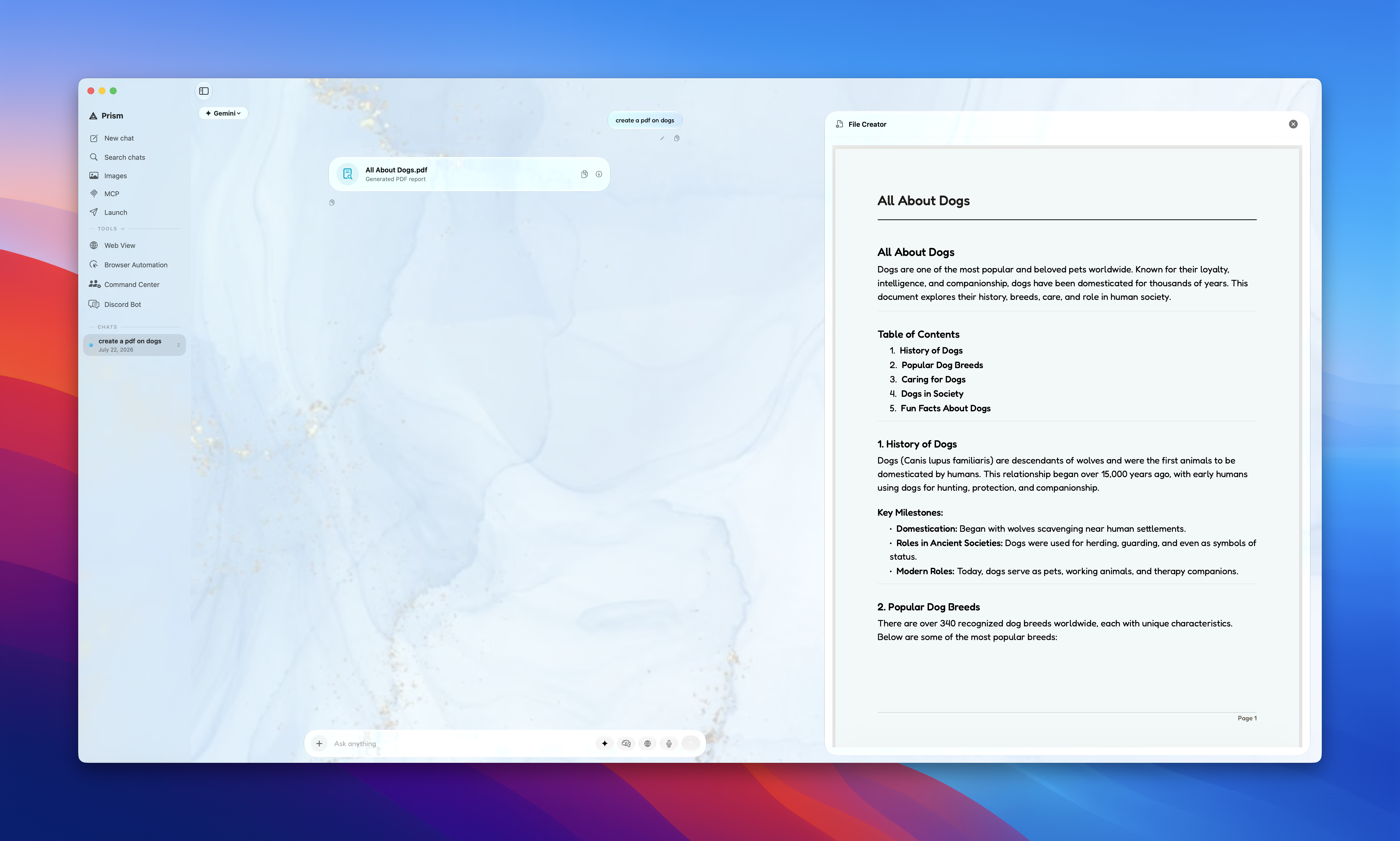
△ File Creator

From prompt to polished document.

Generate PDFs, Markdown, DOCX, HTML, code, and data exports with preview and revision. Start a run from chat with @FileCreator when you want the same pipeline without breaking your thread.

Prism file creator with live preview
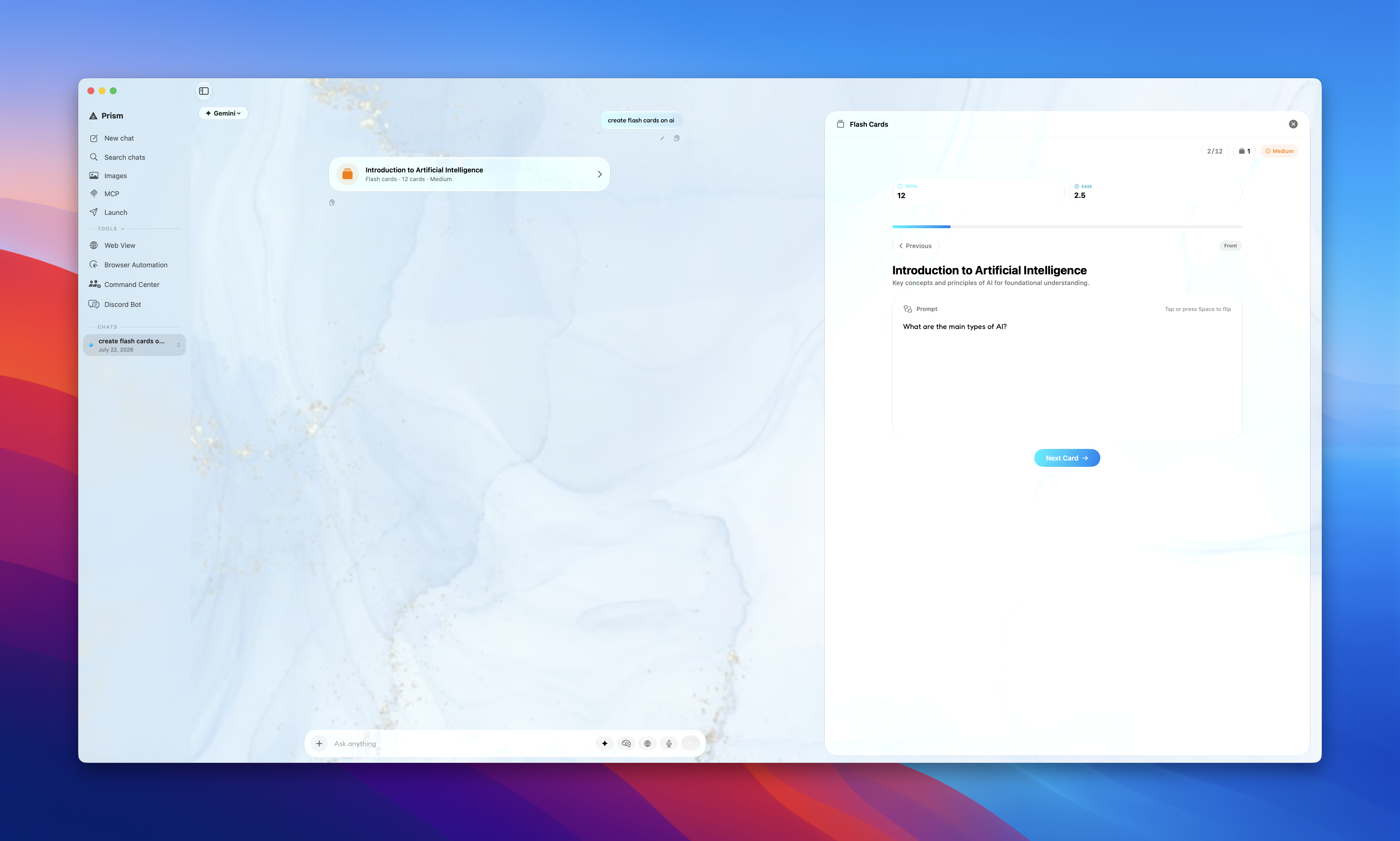
△ Study Tools

Quizzes and cards that stick.

Quiz Me builds adaptive practice with instant feedback. Flash decks use spaced repetition so reviews land when memory fades. @QuizCreator and @FlashCardCreator attach finished sessions to the assistant message for one-tap return.

Prism flashcards study session

Want to see the full feature list?

All Features

Complete feature set for Prism

🧠
Multi-Model Intelligence
Connect to Gemini, ChatGPT, Claude, Grok, Kimi, Mistral, NVIDIA, GitHub Copilot, Ollama, Apple Foundation Models, Prism Hosted, and custom OpenAI-compatible APIs. Mix cloud, local, and on-device models without leaving Prism—including streaming chat on Prism Hosted when your account and plan include access.
Prism Hosted GPT-5.5 Claude Opus 4.7 Gemini 3.1 Pro Gemini 3 Flash Gemini 3.1 Flash Lite GPT-5.4 Mini GPT-5.4 Claude 4.6 Sonnet Qwen3.6 Flash DeepSeek V4 Pro GPT-5.4 Image 2 Kimi K2.6 GLM 5.1 Gemini ChatGPT Claude Grok Kimi Mistral GitHub Copilot Llama 3 Apple Intelligence NVIDIA Custom APIs
✍️
System-Wide Writing
Transform any text field on your Mac into an AI workspace. Inline autocomplete, keyboard-driven suggestion acceptance, and text injection workflows — all powered by macOS Accessibility APIs.
Quick AI Panel
A Spotlight-like floating bar you can summon from anywhere with Ctrl + Space. Ask a question, attach files, use slash commands, open the @ tool palette for creators and MCP, browse custom web views, and dismiss just as fast. Always synced with the main window.
🔀
Model Comparison
Send the same prompt to multiple models simultaneously and compare responses side-by-side. Add unlimited slots, track generation speed, then synthesize the best answer with AI.
🎨
Image Generation
Generate 4K images with multiple art styles — Anime, Watercolor, Vector, Illustration. Local generation via Ollama for complete privacy. Persistent gallery for all your creations.
📐
Advanced Math
Full LaTeX rendering with KaTeX for complex block equations and seamless inline math. Automatic Greek letter conversion, fractions, roots, and boxed answers.
🌐
Browser Automation
An embedded Node.js server runs Playwright or Puppeteer so the AI can navigate, scrape, and interact with the web agentically. Live WebSocket stream included.
🧩
Chrome Extension
Bring Prism's intelligence into Chrome. Enhance web pages, extract page context, and enable seamless agentic browser control from the AI.
🔌
MCP Registry & @-Mention Tools
Configure Model Context Protocol servers from a curated registry—HTTP and local transports, optional bearer tokens, and quick filtering. In chat, type @ to open the tool palette: built-in @FileCreator, @QuizCreator, and @FlashCardCreator run full creation flows with streaming progress; MCP entries connect using your saved setup, discover remote tools, and return structured context (including helpers like GitHub repository listing when your prompt matches).
MCP catalog @FileCreator @QuizCreator @FlashCardCreator Tool discovery
Quiz Me Mode
Enter any topic and get an AI-generated multiple-choice quiz with configurable difficulty and length. Mix MCQ, true/false, and free-response questions with AI grading and detailed explanations. When you start a run from chat with @QuizCreator, the assistant message links straight to that session for one-tap review.
🗂️
Folder Context Agent
Point Prism at a folder and it will scan files, extract text from PDFs, build context windows, answer repo questions, and propose concrete file changes and terminal commands.
📄
File Creator
Generate polished PDFs and editable files including Markdown, DOCX, HTML, code, JSON, CSV, and more. Preview, revise, export, and keep a persistent document library. Trigger full runs from chat with @FileCreator when you want the same flow without leaving the thread.
🧠
Flash Cards
Create and study AI-generated decks with SM-2-style spaced repetition (ease, interval, next review), deck management, provider and model labels, and a focused study UI. @FlashCardCreator in chat saves the deck and links it on the assistant message for quick reopen.
⌨️
Slash Commands
Type / for instant access to built-in commands like /summarize, /explain, /translate, /fix, and /code. Create fully custom prompt templates with icons, plus action commands like /new, /clear, and /quit.
🔍
Web Search & Reasoning
Enable real-time web search so the AI always has current information. Adjust thinking depth per provider, inspect reasoning output, and use multimodal prompts with images, PDFs, and pasted text attachments.
AI Autocomplete
Get system-wide inline completion in text fields across macOS. Choose the backend, model, debounce, completion length, custom instructions, memory, and app blacklist.
🪟
Web Overlay & Custom Web Views
Open Gemini, ChatGPT, Perplexity, Grok, Claude, or your own custom sites in a floating browser overlay with persistent sessions, private mode, and saved panel sizing.
🍎
Apple Shortcuts Integration
Route chat and image generation through your own Apple Shortcuts for Siri, private cloud, on-device, or ChatGPT-powered flows.
📎
Attachment-Aware Chat
Drag in images, PDFs, source files, CSV, JSON, and text files, paste screenshots, use voice dictation where supported, and keep those attachments with the conversation for later retries, edits, and follow-up prompts.
☁️
Chat History & iCloud
Chats live on disk by default. Optionally enable Sync Chat History with iCloud across Macs signed into the same Apple ID. In Data & Privacy you can also limit how many saved sessions Prism keeps—when enabled, oldest chats roll off automatically so storage stays predictable.
🔒
Private by Design
With Ollama or Apple Intelligence, prompts stay on your Mac. BYO API keys talk directly to the providers you configure. Prism Hosted uses Prism’s managed endpoints tied to your account when you pick that provider—no separate vendor API console required for that path.